

Template Gallery
Pick your style
Every template is free, printer-ready, and passes ATS scans. Choose one and customise colours in seconds.
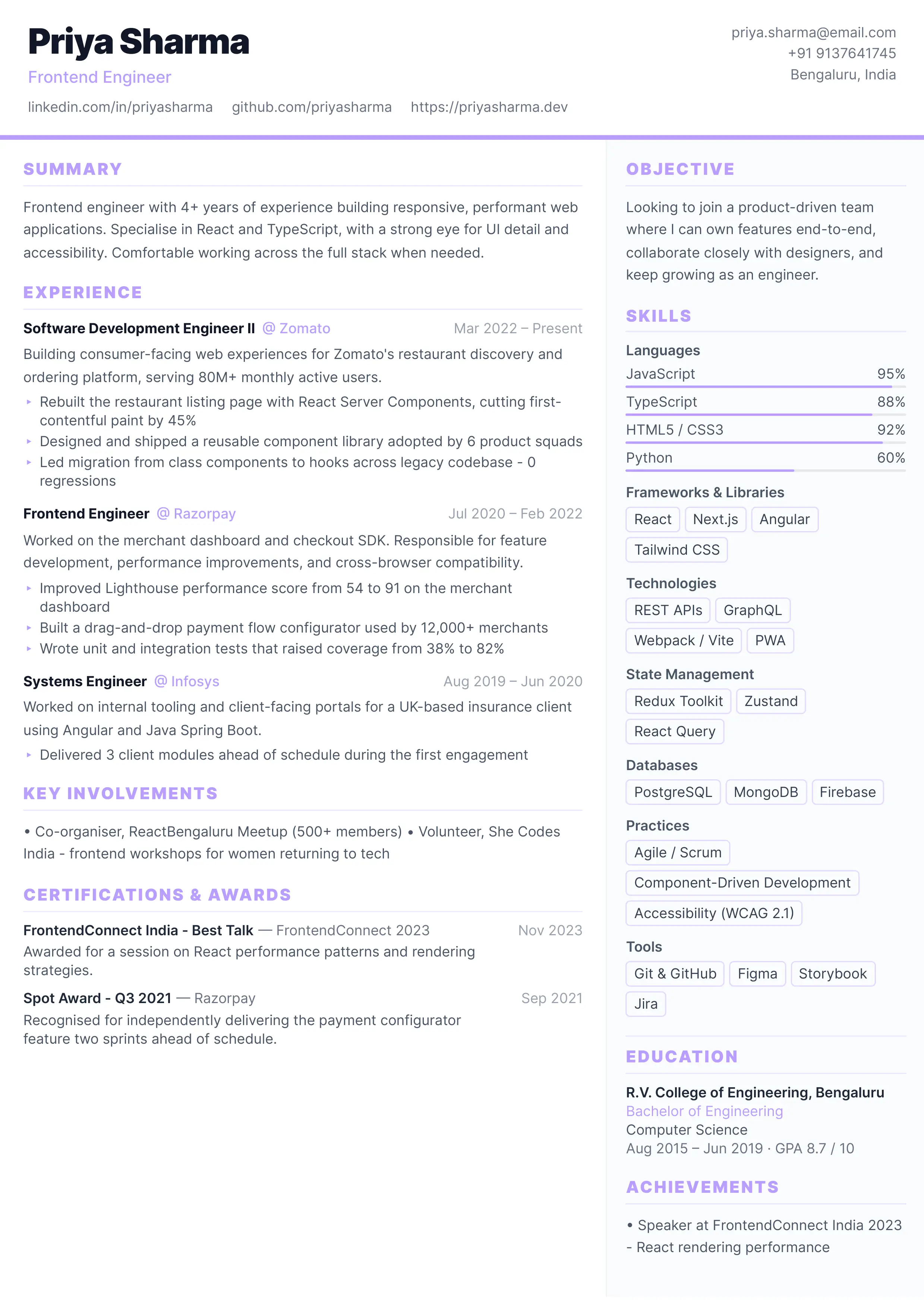
Professional Resume
Structured sidebar layout. Ideal for senior or management roles.
Click anywhere to select
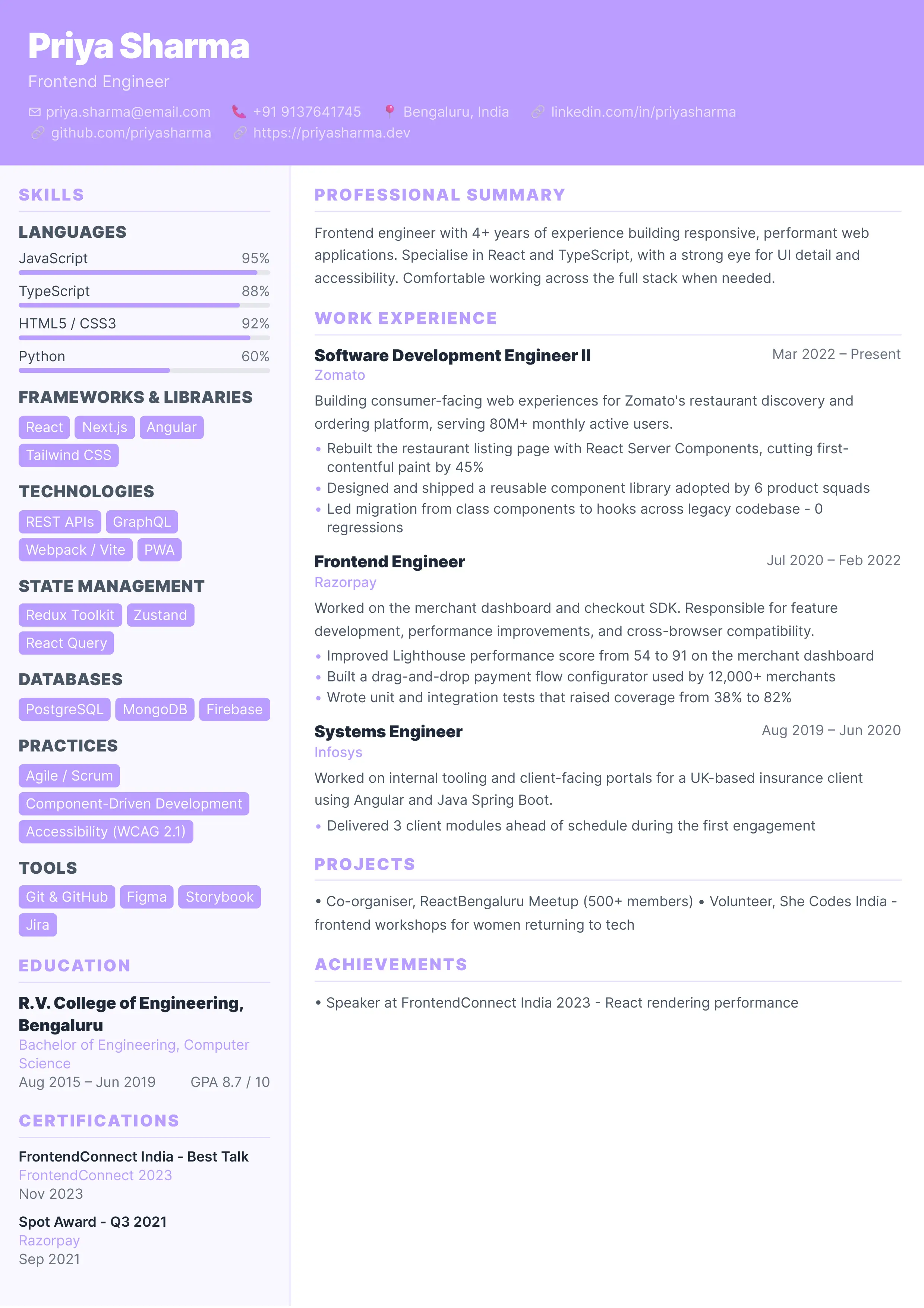
Nova Tech
Full-bleed color header with sidebar skills. Built for mid-level engineers.
Click anywhere to select
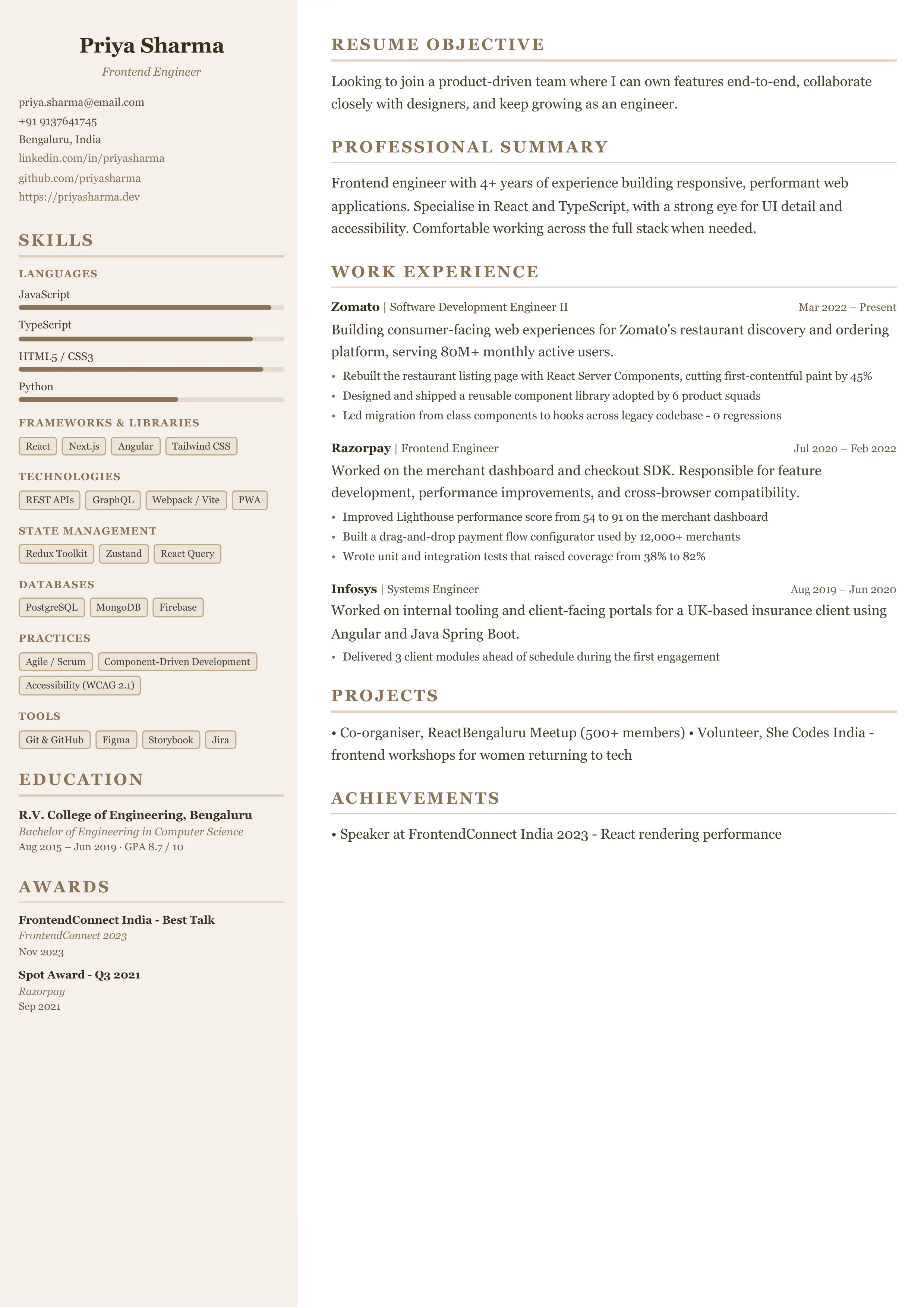
Modern Server
Warm taupe sidebar with skill bars and volunteer-first layout. Great for service and hospitality roles.
Click anywhere to select
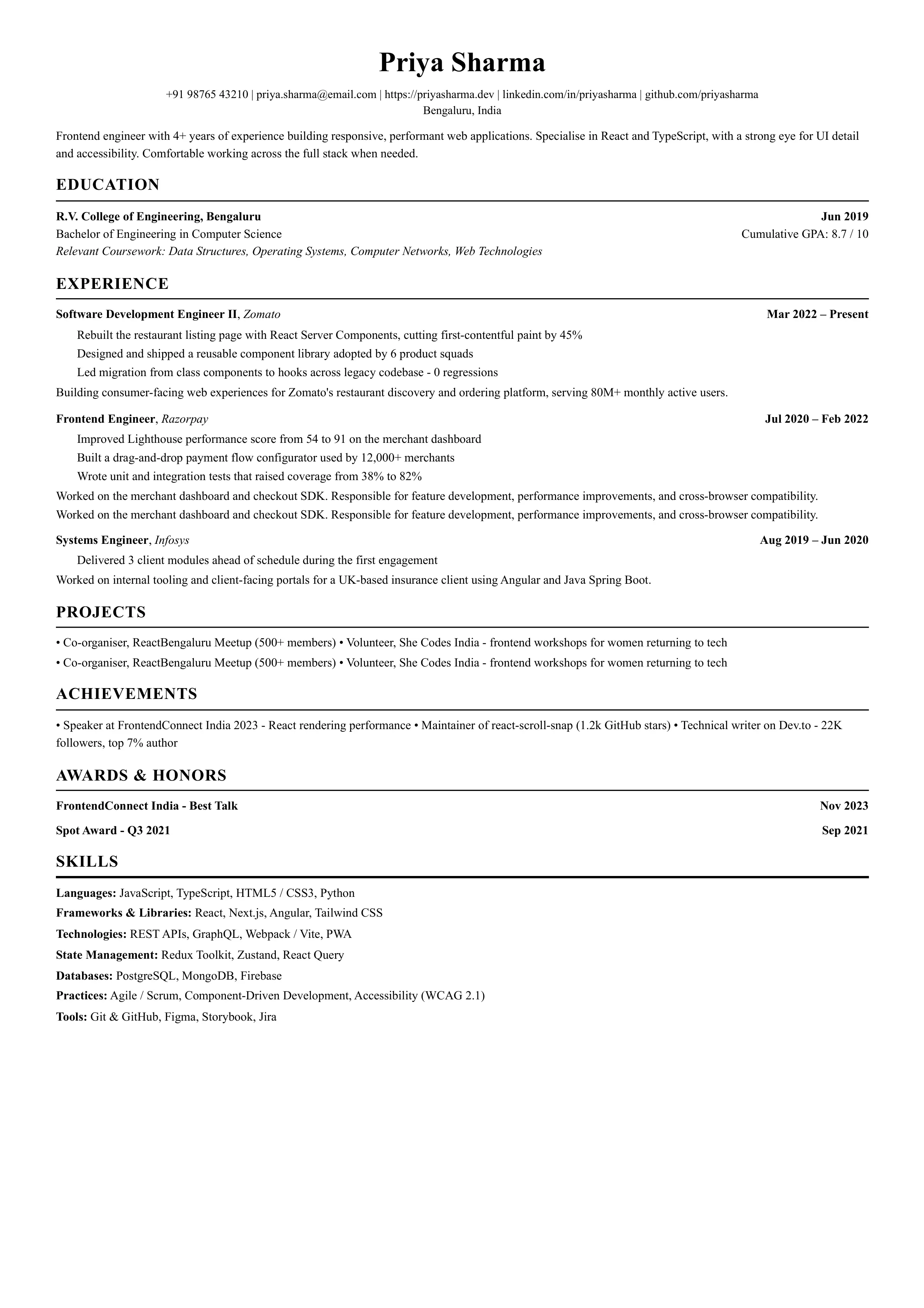
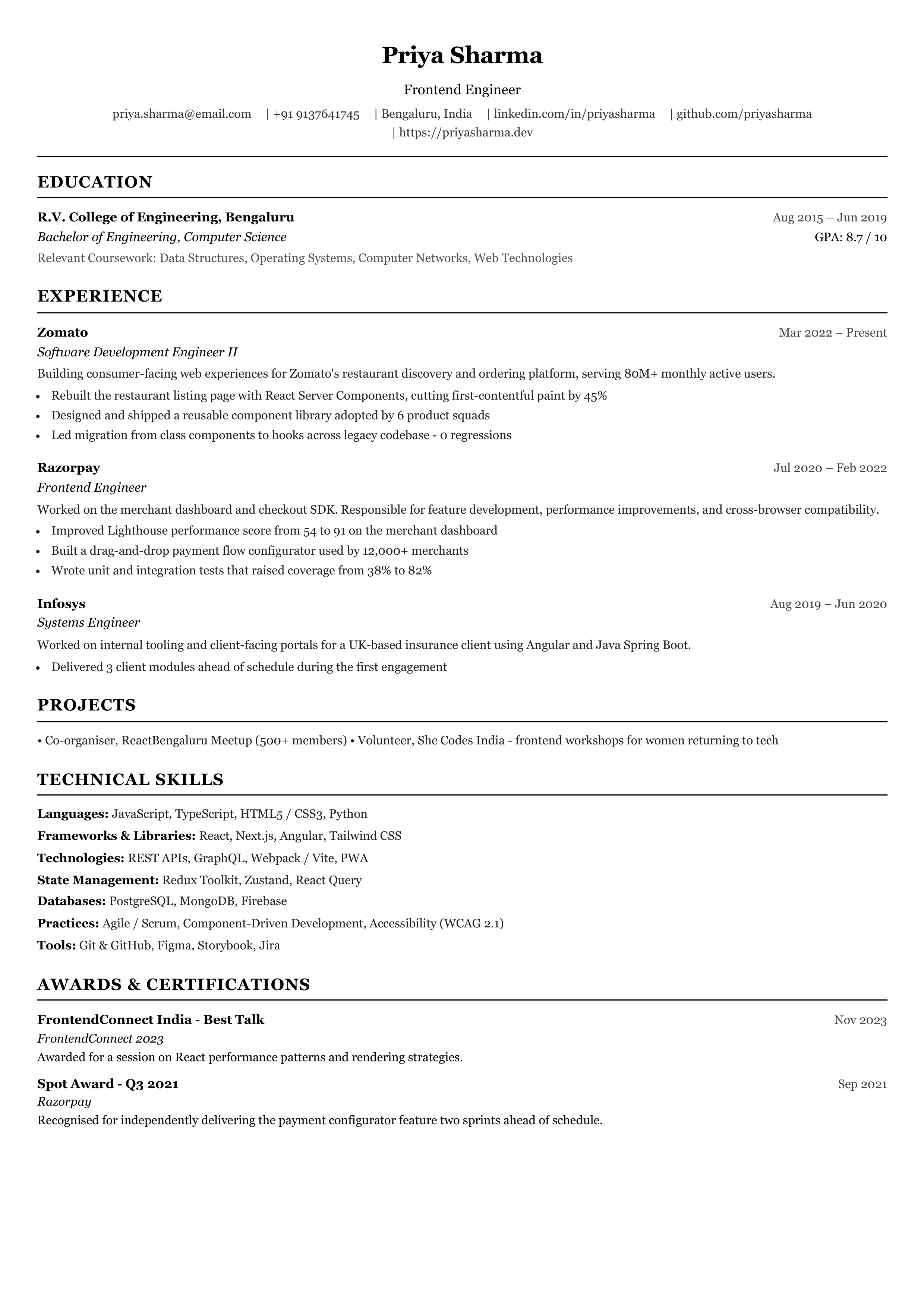
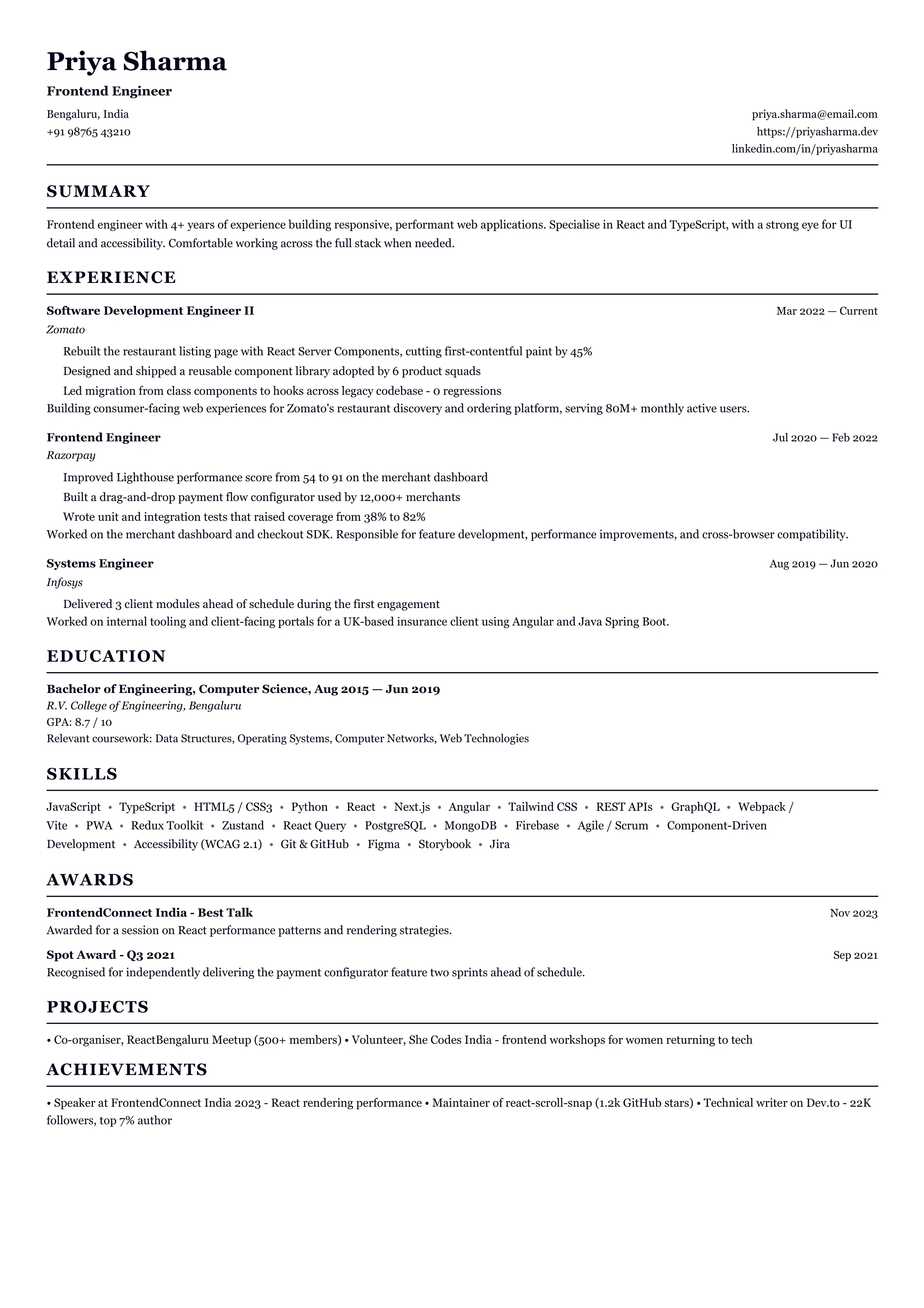
SpaceX Classic
The single-column serif resume that landed interviews at SpaceX, Google, and top tech companies.
Click anywhere to select
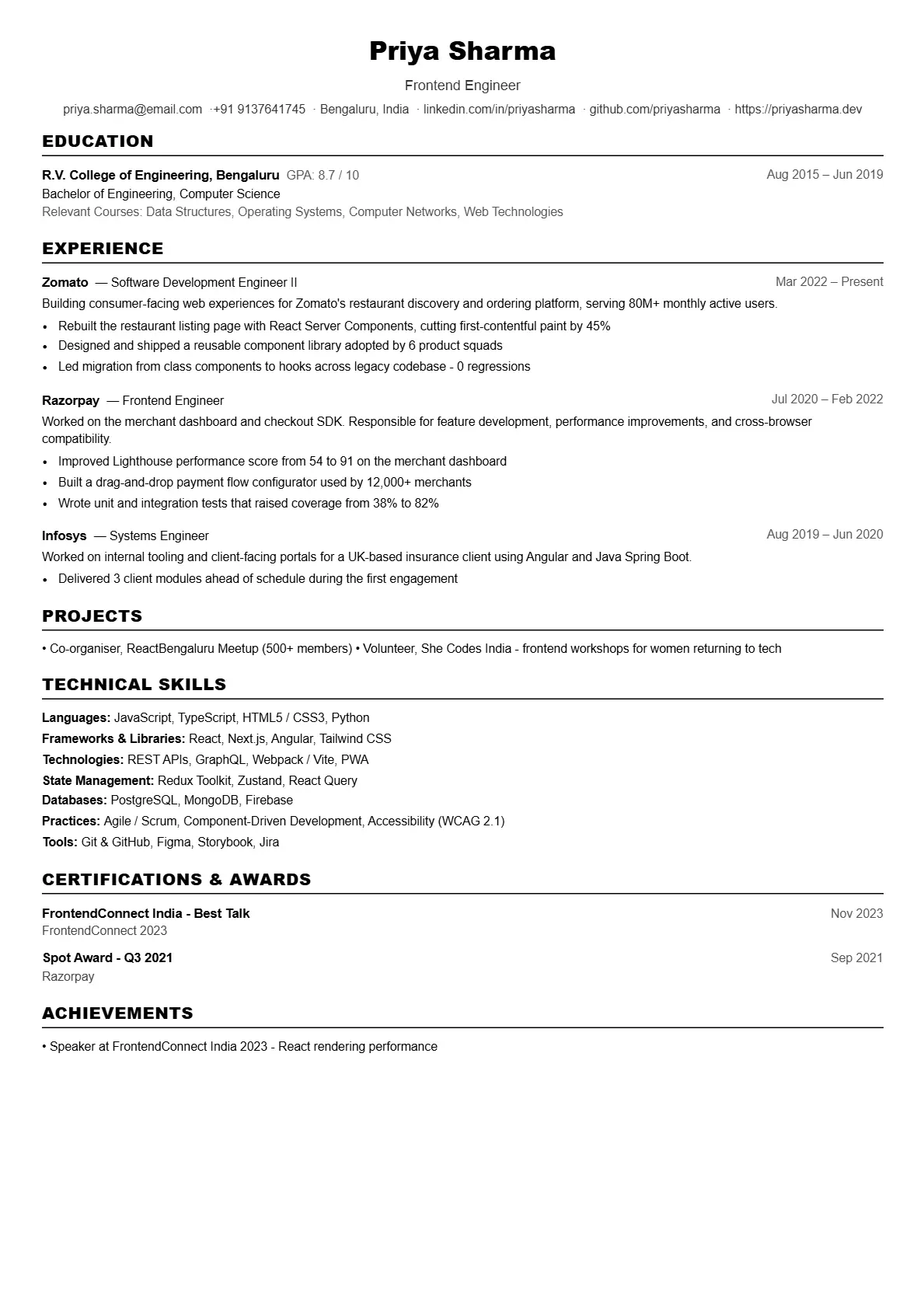
Jake's Classic
Single-column B&W layout. The gold standard for top-tier SWE recruiting.
Click anywhere to select
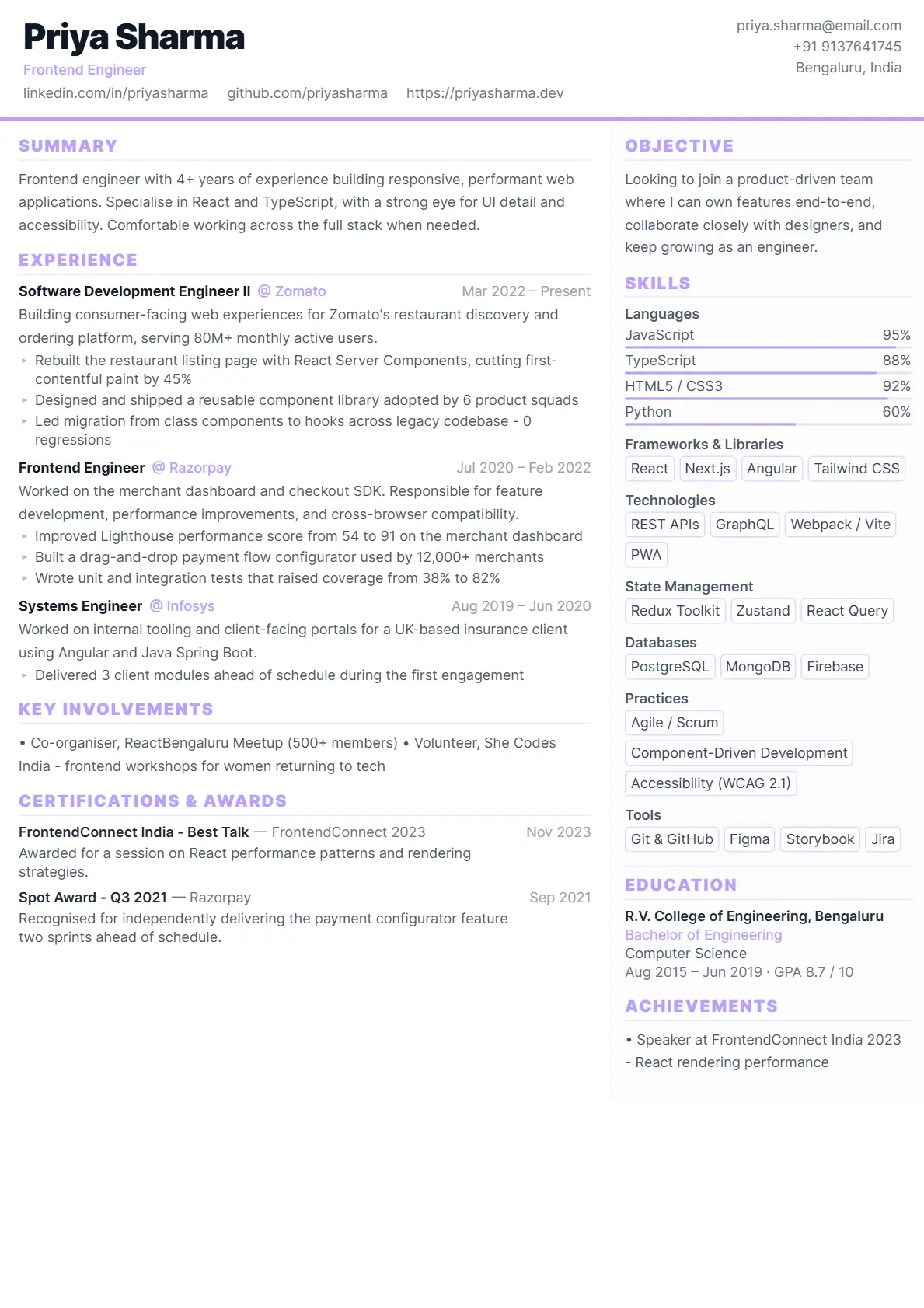
FAANGPath
Metric-first single-column. Built for FAANG applicant tracking systems.
Click anywhere to select
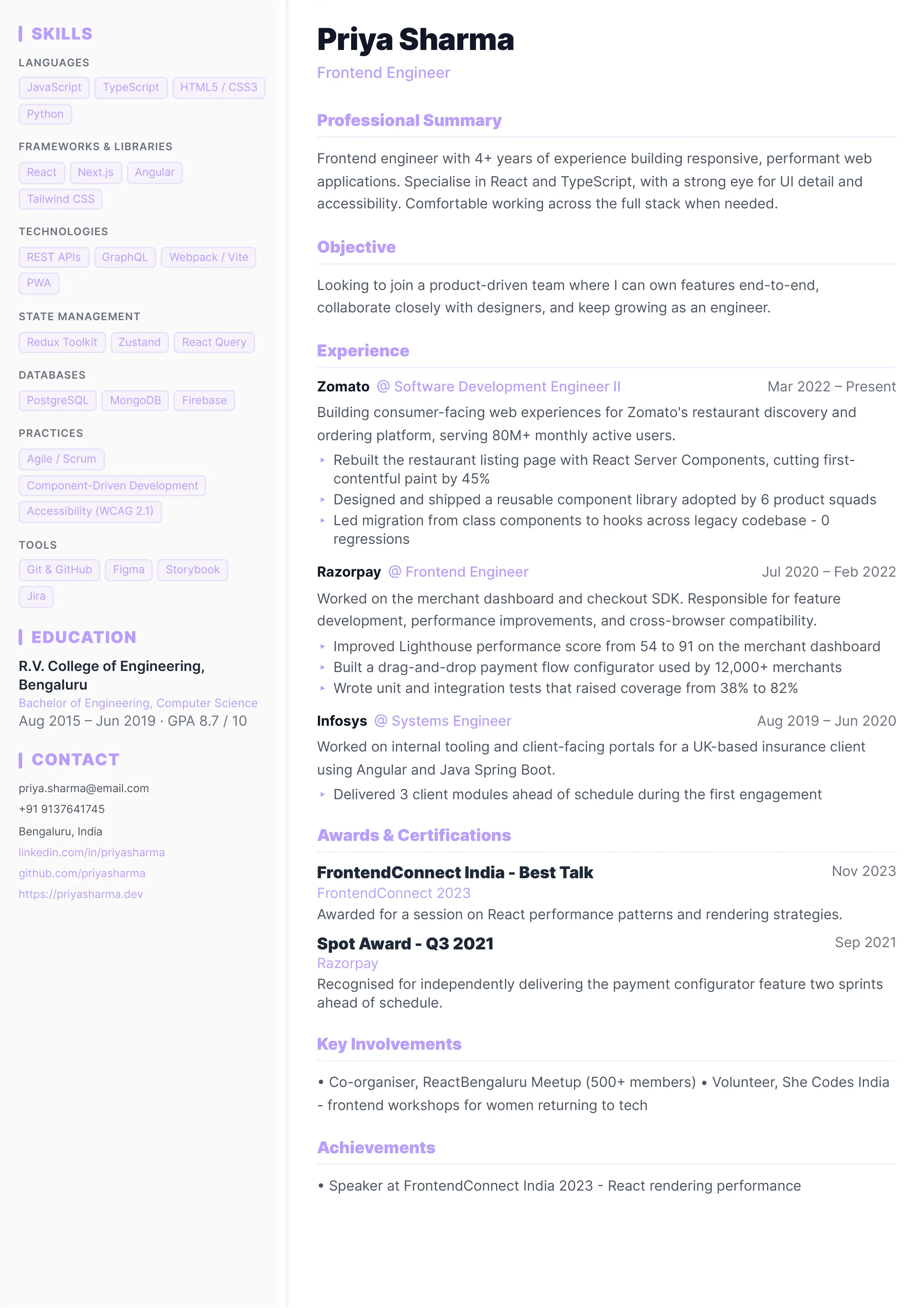
Compact Classic
Ultra-compact layout. Fits maximum content on one page.
Click anywhere to select
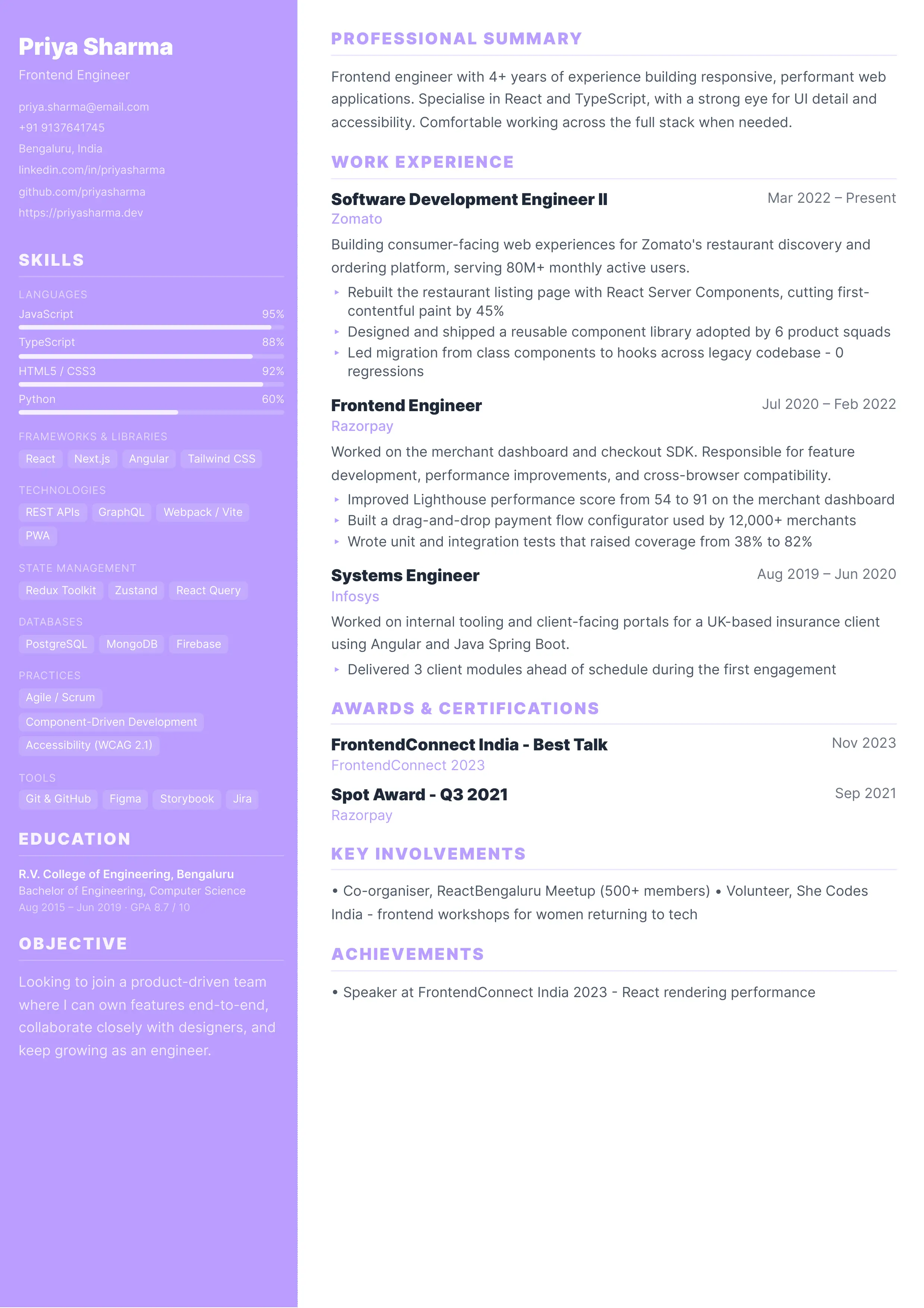
Executive
Accent-colored headings with skills-first sidebar. For senior engineers and EMs.
Click anywhere to select
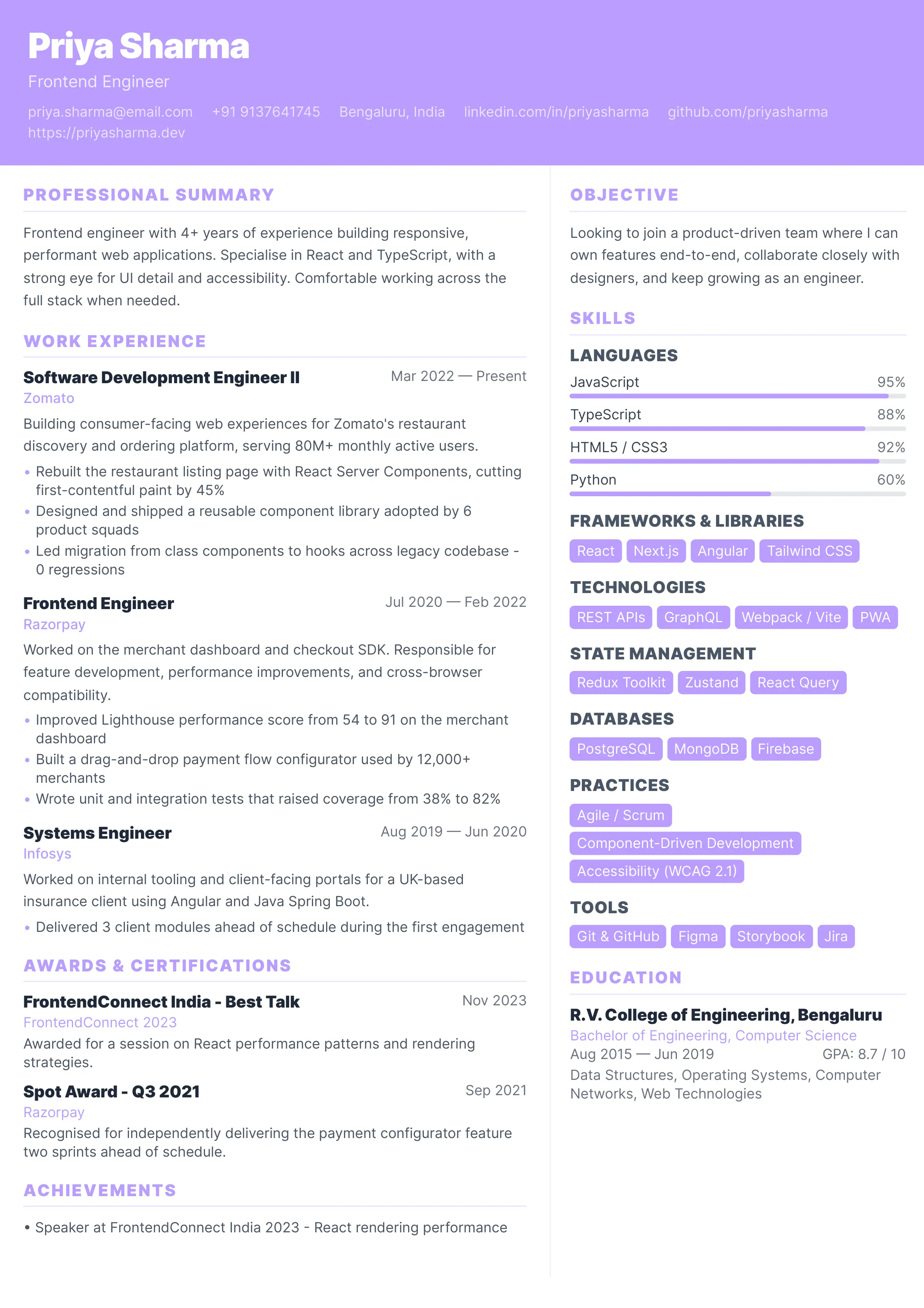
Cascade
Full-height two-tone columns. Navy authority meets modern tech.
Click anywhere to select
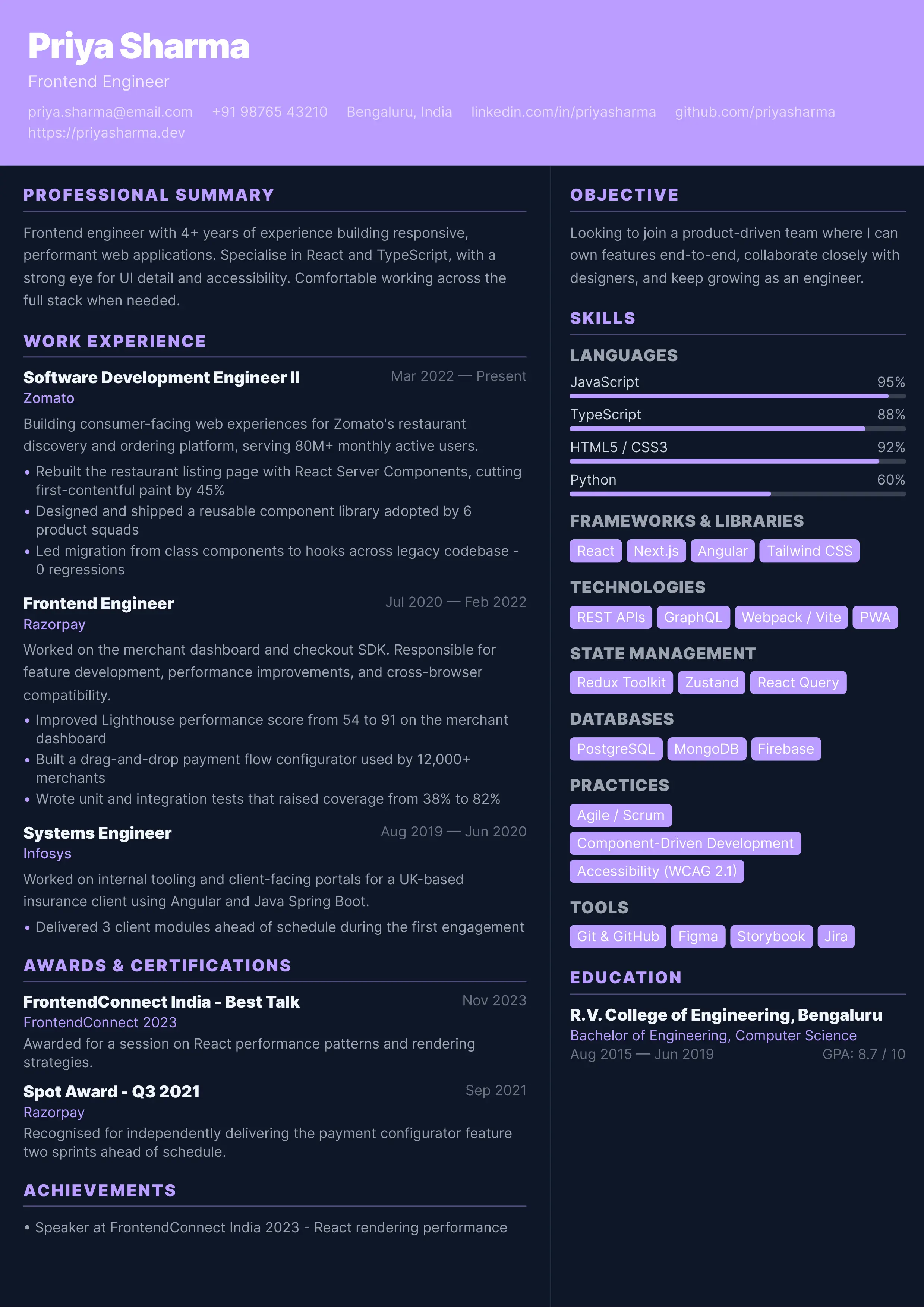
Modern Resume
Clean 2-column layout. Great for tech & engineering roles.
Click anywhere to select
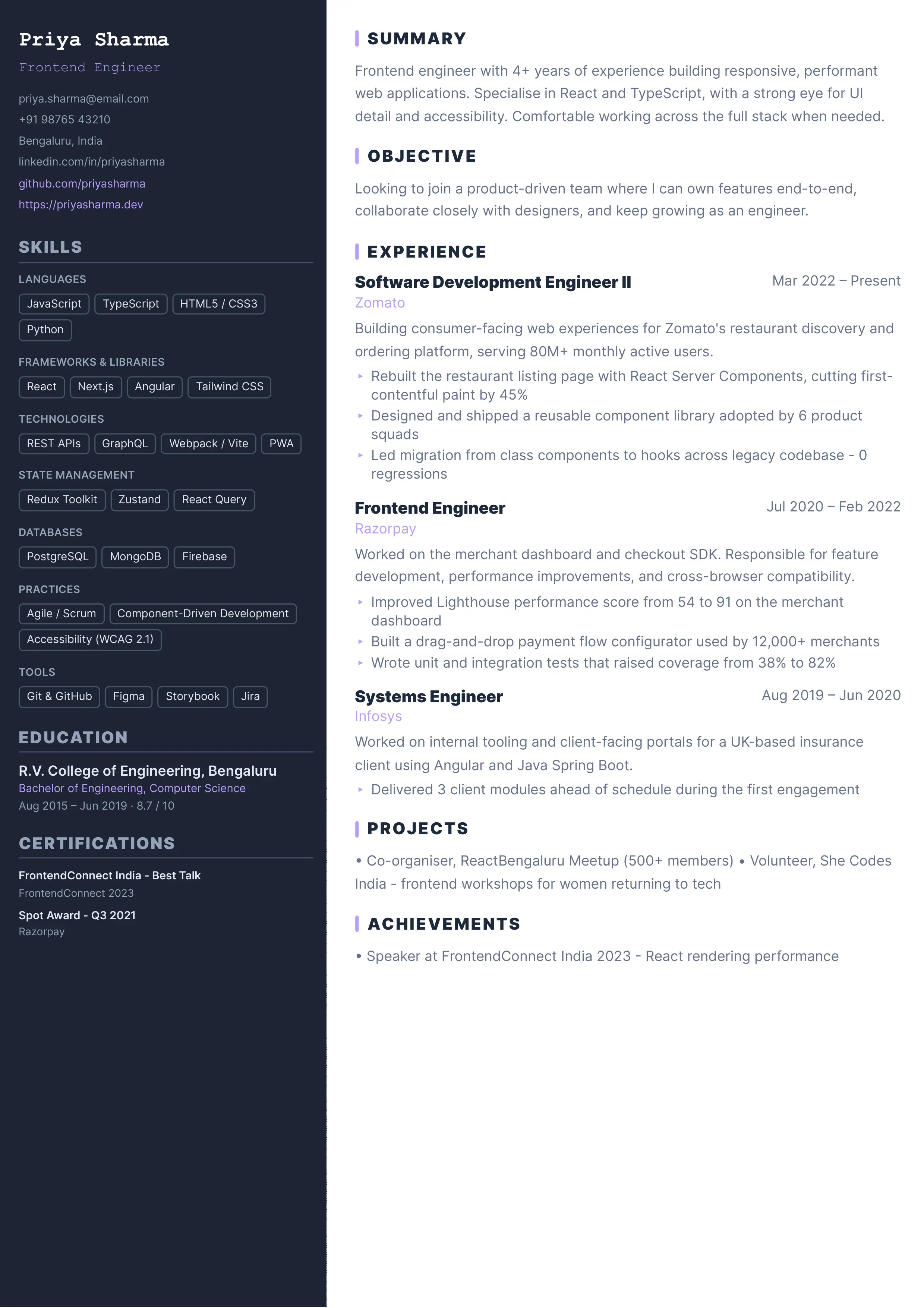
Minimal Dark
Sleek dark-background variant. Bold contrast for tech roles.
Click anywhere to select
Dark Dev
Dark sidebar inspired by developer tools. Stands out in the pile.
Click anywhere to select
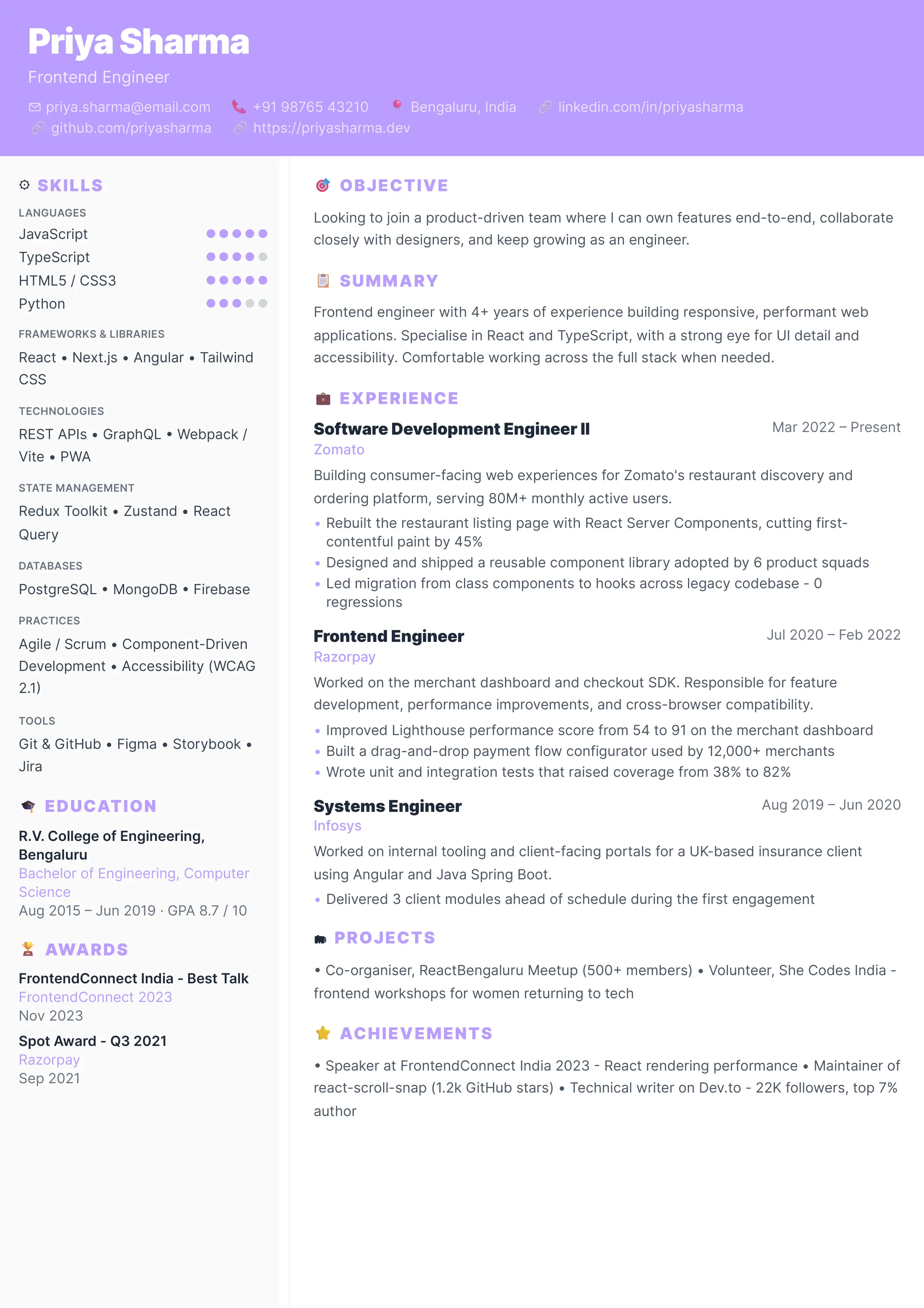
Crisp
Full-width header with icon-labeled sections and circular skill indicators.
Click anywhere to select
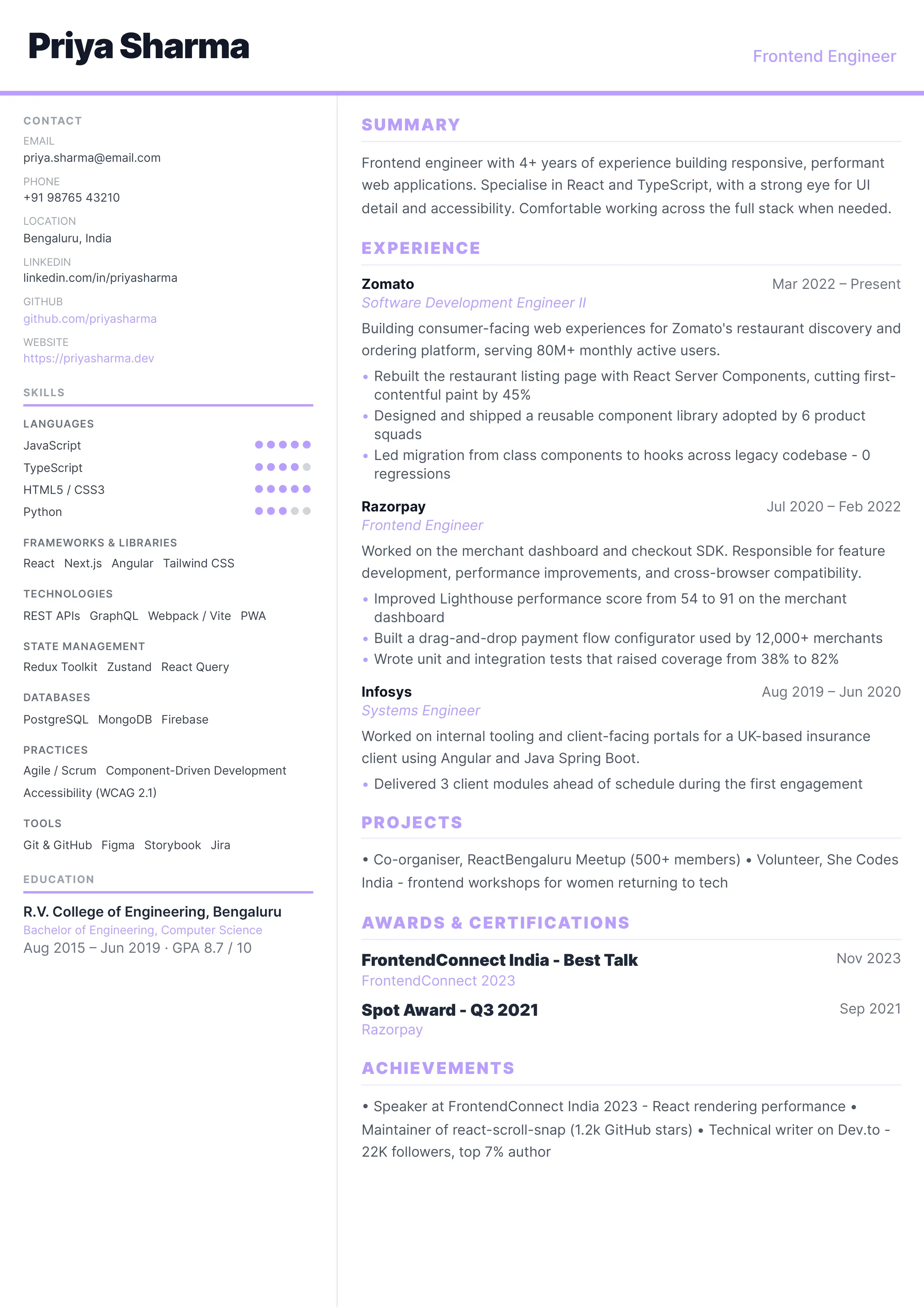
Rio Modern
Striking wide header drops into a clean 2-column split. Tech-minimalist.
Click anywhere to select
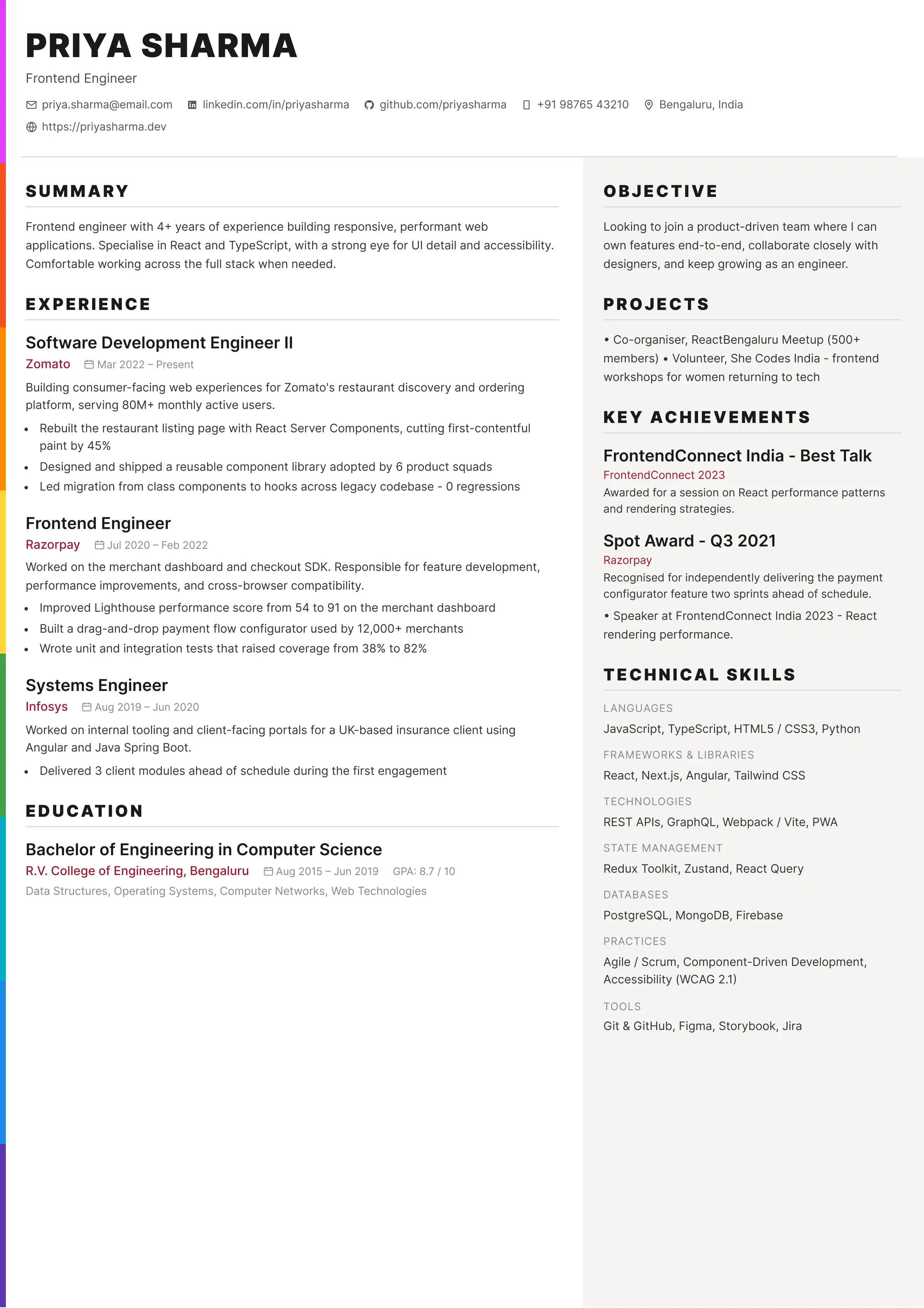
Prism
Full-width header with rainbow accent bar and warm sidebar. Built for IT, infrastructure, and technical support roles.
Click anywhere to select
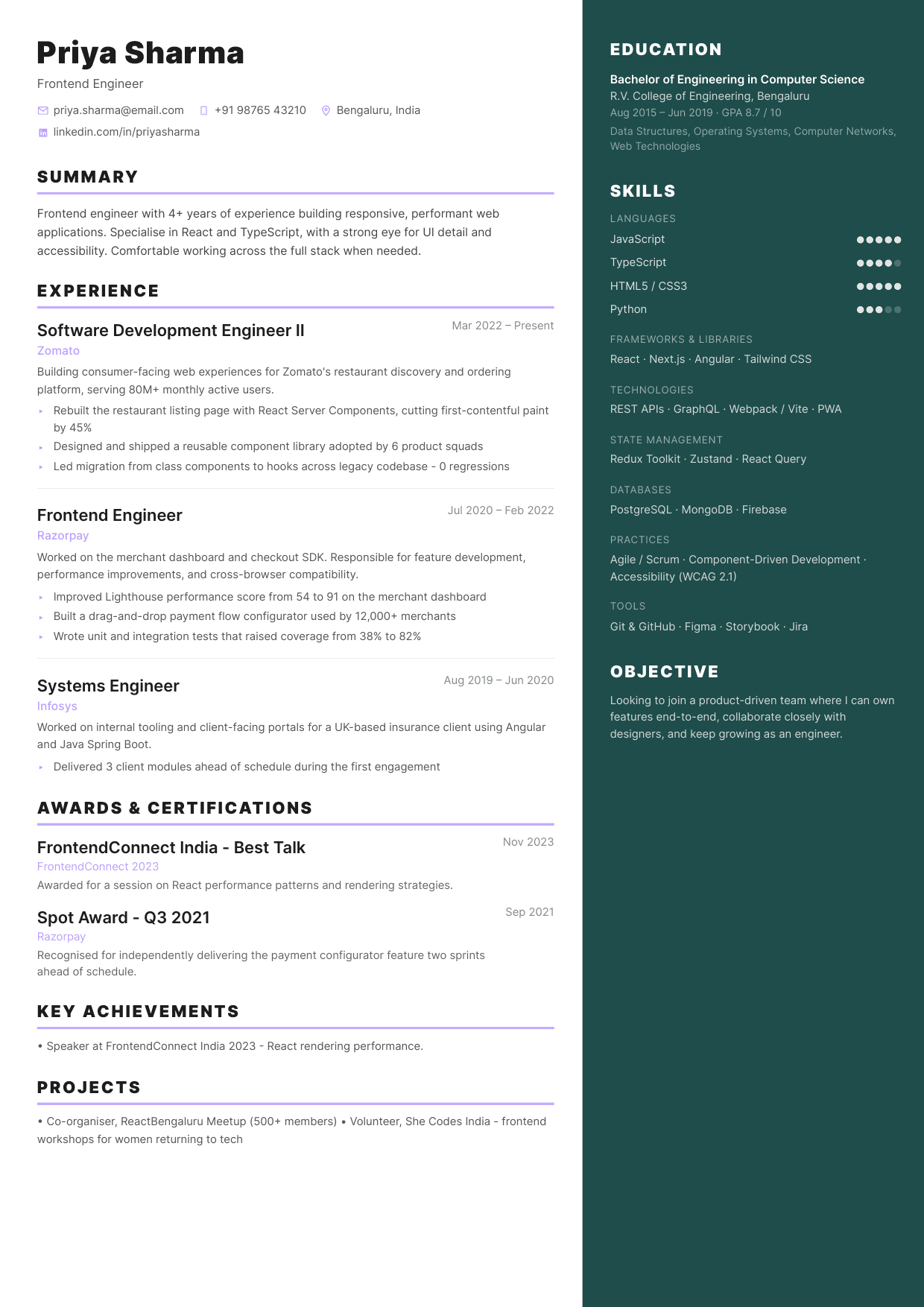
Elegant
Timeless two-column layout with dark teal sidebar. Best for consulting, communications, and client-facing roles.
Click anywhere to select
Aether
A sharp and structured resume template that presents your expertise with professionalism.
Free Resume Templates for Software Engineers
17 professionally designed templates - FAANG-ready, ATS-safe, and PDF-exportable. No account required.
What is the StackInterview Resume Builder?
The StackInterview Resume Builder is a free, browser-based tool that lets you create a polished, professional resume without installing any software or creating an account. Choose from 17 carefully designed templates - from FAANG-ready single-column layouts like Jake's Classic and FAANGPath, to visual two-column designs like Nova Tech, Cascade, Elegant, and Prism - customize your color scheme, fill in your details, and download a pixel-perfect PDF in minutes.
Your data is stored entirely in your browser using local storage, so it persists between sessions without ever leaving your device. You can also export your resume as a JSON file to back it up or transfer it to another browser.
All 17 Resume Templates
Modern Resume
Most PopularClean 2-column layout trusted by thousands of engineers. Great for mid-level and senior SWE roles.
Professional Resume
ATS OptimizedStructured sidebar layout. Ideal for senior engineers, tech leads, and engineering managers.
Minimal Dark
Dark ModeSleek dark-header variant with bold contrast. Stands out without sacrificing ATS readability.
Compact Classic
Space EfficientUltra-compact single-pass layout fits maximum content on one page - perfect for 5+ year engineers.
Jake's Classic
FAANG ReadyThe gold standard for top-tier SWE recruiting. Single-column, B&W, LaTeX-style. Used by thousands at Google, Meta, and Amazon.
FAANGPath
ATS SafeMetric-first single-column layout trusted for FAANG applications. Built around quantified bullet points that beat ATS filters.
Nova Tech
Visual ImpactFull-bleed color header with sidebar skills. Built for mid-level engineers who want visual presence without sacrificing structure.
Dark Dev
IDE AestheticDark sidebar inspired by developer tools. Monospace name header and code-native aesthetic - for engineers who think differently.
Crisp
Icon LabelsFull-width header with icon-labeled sections and circular skill indicators. Clean, modern, and immediately scannable.
Cascade
Executive LookFull-height two-tone columns. Navy authority meets modern tech - ideal for principal engineers and engineering directors.
Rio Modern
Clean SplitStriking wide header drops into a clean 2-column split. Tech-minimalist design with dot-scale skill indicators.
Executive
Senior LevelAccent-colored headings with skills-first sidebar. Designed for senior engineers and engineering managers who lead teams.
Modern Server
Trusted TaupeWarm taupe sidebar with skill bars and volunteer-first layout. Great for service and hospitality roles.
SpaceX Classic
Interview MagnetSingle-column serif resume that landed interviews at top tech companies.
Aether
ATS FriendlySharp and structured resume template that presents your expertise with professionalism.
Elegant
ATS TestedTimeless two-column layout with a deep teal sidebar. Best for consulting, communications, client-facing, and project management roles.
Prism
ATS TestedFull-width header with a signature rainbow accent bar and warm grey sidebar. Built for IT, infrastructure, and technical support professionals.
How to Build Your Resume in 5 Steps
- 1Choose a template - Pick from 17 professionally designed templates. FAANG-ready options like Jake's Classic and FAANGPath work best for top-tier tech applications. Creative templates like Nova Tech or Dark Dev stand out at startups and mid-size companies.
- 2Pick a color theme - Select from multiple color themes to match your personal brand. The accent color propagates through the header, section titles, and skill indicators automatically.
- 3Fill in your details - Use the editor panel to add personal info, work experience, education, skills, awards, volunteering, and achievements. Click any section in the preview to jump directly to it.
- 4Preview and zoom - Use the zoom controls to inspect your resume at different scales. The live preview is pixel-for-pixel identical to the printed PDF output.
- 5Download as PDF - Click the PDF button - choose 'Save as PDF' in the print dialog. Set margins to 'None' and enable 'Background graphics' for templates with color headers. Chrome and Edge give the best results.
Resume Writing Tips for Software Engineers
- •Lead with quantified achievements. Instead of improved performance, write reduced API latency by 40% using Redis caching.
- •Tailor your summary to each job posting. Mirror 2-3 key phrases from the job description to pass ATS filtering.
- •Keep your resume to 1-2 pages. Senior engineers may use 2 pages, but every line should earn its place.
- •Put your most impressive role first. Recruiters spend ~7 seconds on first scan - your best experience must be visible immediately.
- •Separate skill categories clearly. Grouping Languages, Frameworks, and Tools separately makes it easier for interviewers to assess fit.
- •Include links. GitHub, LinkedIn, and personal site URLs signal an active professional presence.
- •Use consistent date formatting. Jan 2022 - Present is cleaner and more ATS-friendly than mixing formats.
- •For FAANG applications, use Jake's Classic or FAANGPath - single-column B&W formats parse most cleanly through Greenhouse and Workday.
- •For startups and product companies, Nova Tech or Rio Modern add visual polish without sacrificing ATS readability.
- •For senior or management roles, Cascade or Executive templates communicate authority and leadership hierarchy effectively.
Frequently Asked Questions
Is the Resume Builder completely free?
Yes. No account, no subscription, no watermark, no credit card. All 17 templates are fully free and open to everyone.
Which template is best for FAANG applications?
Jake's Classic and FAANGPath are the top choices for Google, Meta, Amazon, Apple, and Netflix applications. Both use single-column, black-and-white layouts that parse cleanly through ATS systems like Greenhouse, Lever, and Workday. Jake's Classic closely mirrors the LaTeX template used by thousands of successful FAANG applicants.
Which template is best for startups?
Nova Tech, Dark Dev, or Crisp work well for startup applications where visual presence matters. They add personality without sacrificing ATS readability. Rio Modern is a strong middle ground - clean structure with a distinctive header.
Which template is best for senior or management roles?
Cascade and Executive are designed for principal engineers, staff engineers, and engineering managers. Both emphasize leadership narrative and can accommodate the longer experience sections typical at the senior level.
Will my resume data be saved if I close the tab?
Yes - all data is automatically saved to your browser's local storage. You can also click Export to save a JSON backup and Import it later to restore your resume on any device or browser.
Can I use this to build a resume for tech interviews?
Absolutely. The builder was designed by engineers for engineers. The skills section supports multiple categories (Languages, Frameworks, Tools, Cloud, etc.) and all templates format experience entries in the way tech recruiters and hiring managers expect.
Are all 17 templates ATS-compatible?
Yes. All templates use clean semantic formatting with proper heading hierarchy. Single-column templates (Jake's Classic, FAANGPath, Compact Classic) offer the highest ATS compatibility. Two-column templates (Modern, Professional, Cascade, Executive, Elegant, Prism) are also ATS-safe - modern ATS systems handle multi-column layouts correctly.
How do I download as PDF?
Click the PDF button in the top bar. Select 'Save as PDF', set margins to 'None' or 'Minimum', and enable 'Background graphics' for templates with color headers or dark sidebars. Chrome and Edge produce the most accurate PDF output.
Can I switch templates after filling in my data?
Yes - all your data is shared across templates. Switch templates at any time using the template dropdown in the builder toolbar or by returning to the template gallery. Your content stays intact.